
TM SIM Registration (Link) 2026
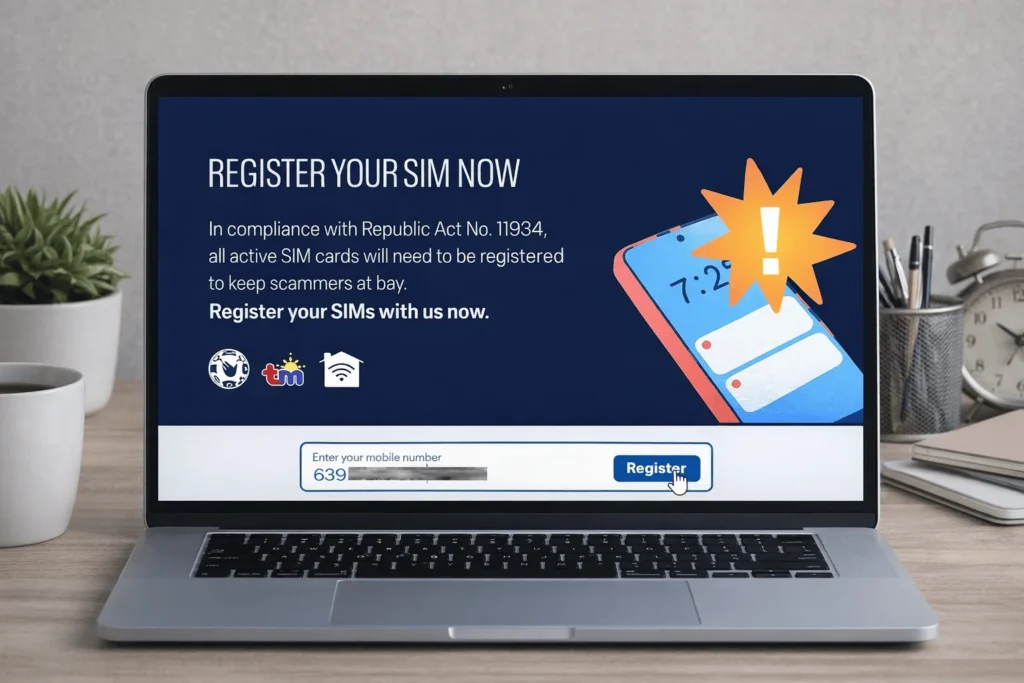
The SIM Registration Act requires all new and existing TM users to register their SIM cards. This prevents crimes, improves security, and protects your rights. You can easily register your TM SIM through the web portal or the GlobeOne app.
The TM SIM registration process is similar to that of Globe SIM registration. Just follow the guidelines below, fill out the form, and submit it to get registered. Plus, TM SIM Network will reward you with freebies once you complete your registration.
Register your TM SIM quickly and easily using the Sim Registration online portal. Click the button that is given above, enter your details, and your SIM will be activated quickly.

How to Register TM Sim Online – Easy Steps
To register your new TM SIM card, follow these steps similar to the Globe process. Use your legal documents for accurate information. Here’s a step-by-step guide to help you register online with the official link.
How to get TM Sim Registration Number
The TM SIM registration number is a reference number provided to you once the SIM registration process is successfully completed. You should copy and save this number as proof of your SIM’s registration. If you didn’t save it and now need the registration number, simply send a message to *808# to retrieve it. Alternatively, you can also contact TM customer service directly for assistance with your TM SIM registration number.
Register through the Web Portal
Go to the official TM SIM registration website. Both website links are provided below:
- Enter your TM mobile number, then click the “Request PIN” button.
- Enter the “OTP” received via SMS within “5 minutes”.
- Read the guidelines carefully, then click the “Continue” button.
- Select your “Registration Type” from the dropdown menu.
- Upload your “Government-issued ID” by scanning it clearly.
- Wait for the “ID analysis succeeded” confirmation.
- Take a clear “Selfie” and complete verification.
- Fill out the form with all required “personal information”.
- Review your details to make sure everything is correct.
- Check the box and click “I Confirm this statement”.
- Wait for the system to process your registration.
- Congratulations, your TM SIM registration is completed.
- A “reference number” will appear on your screen as proof of successful registration.
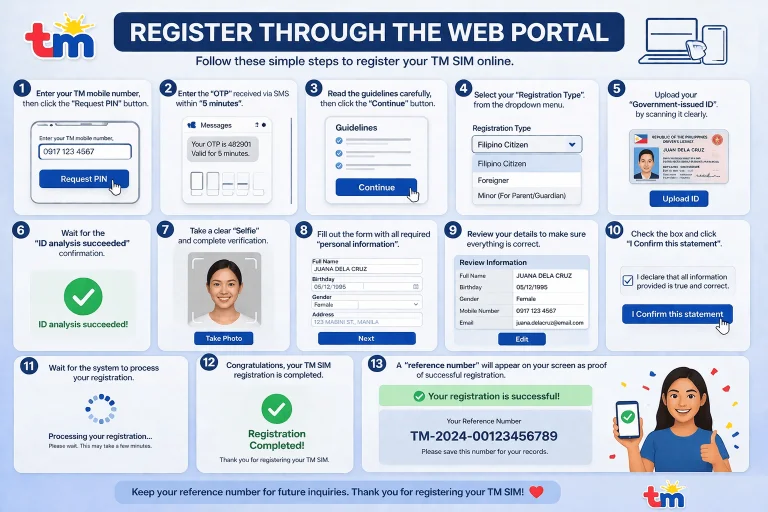
Note:Please ensure you save this reference number by either taking a screenshot or writing it down for future reference.
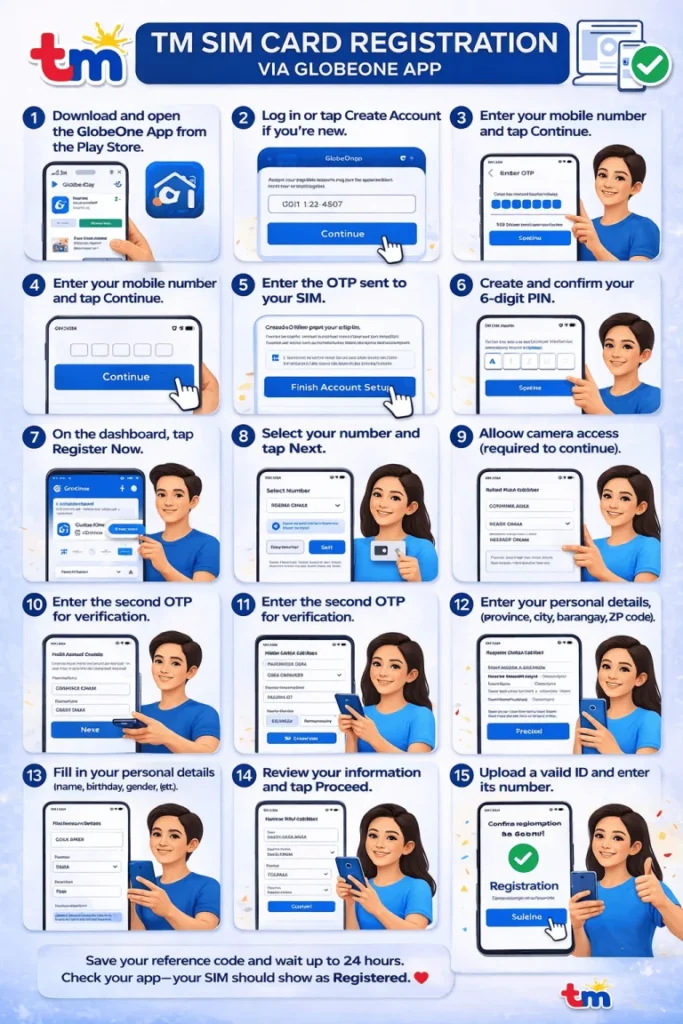
Registration Via GlobeOne APP
Another way of registering your TM SIM easily is through the GlobeOne App. You can easily register your SIM via mobile with the GlobeOne app. Here is the step-by-step process on how to do it, along with visual images.
- Download and open the GlobeOne App from the Play Store.
- Log in or tap Create Account if you’re new.
- Enter your mobile number and tap Continue.
- Enter the OTP sent to your SIM.
- Create and confirm your 6-digit PIN.
- Agree to the terms and finish setting up your account.
- On the dashboard, tap Register Now.
- Select your number and tap Next.
- Allow camera access (required to continue).
- Enter the second OTP for verification.
- Fill in your personal details (name, birthday, gender, etc.).
- Enter your address details (province, city, barangay, ZIP code).
- Review your information and tap Proceed.
- Upload a valid ID and enter its number.
- Take a selfie for verification.
- Confirm everything and tap Submit.
- Save your reference code and wait up to 24 hours.
- Check your app—your SIM should show as Registered.
Requirements for TM SIM Registration
In the Philippines, TM SIM card activation is available for Filipino citizens, foreign nationals, and authorized company representatives. Below are the requirements you need to have for registration:
Registering as a Filipino Citizen
- Full Name
- Residential Address
- Citizenship
- Date of Birth
- Selfie Photo (one required)
- Nationally Accepted ID Card
- Your TM SIM Number
- Valid Government ID with Photo (maximum file size: 4MB)
- Contact Email Address
- Alternate Phone Number for Verification
Registering as a Foreign National
If you are a foreign national in the Philippines with a visa, you’ll need the following information to register your TM SIM Card:
- Passport: A copy of the bio page and the pages with your current visa, showing your passport number, full name, and nationality.
- Proof of Address: This can be a hotel booking or a letter from the owner of the place where you are staying.
- Additional Documents (if needed):
- Alien Certificate of Registration Identification Card (ACRI-Card) from the Bureau of Immigration or another official ID.
- Alien Employment Permit from the Department of Labor and Employment, or school ID and registration for students.
- For Persons of Concern (POCs), a valid travel or admission document from the Philippine Department of Justice.
Registering TM Sim Under Company Name
If you are registering your TM SIM card under a company name, the authorized representative should prepare the following information:
Authorized Representative Details
- Full Name of the representative
- Date of Birth
- Gender
- Nationality
Company Details
- Full Company Name
- Complete Company Address
Identification
- Type of Government ID presented and its ID number
- A valid government ID with a photo (maximum file size: 4MB)
Company Documents
- Certificate of Registration or DTI Registration document (maximum file size: 4MB)
- Board Resolution or Proof of Authority designating the authorized representative, or a Special Power of Attorney (maximum file size: 4MB)
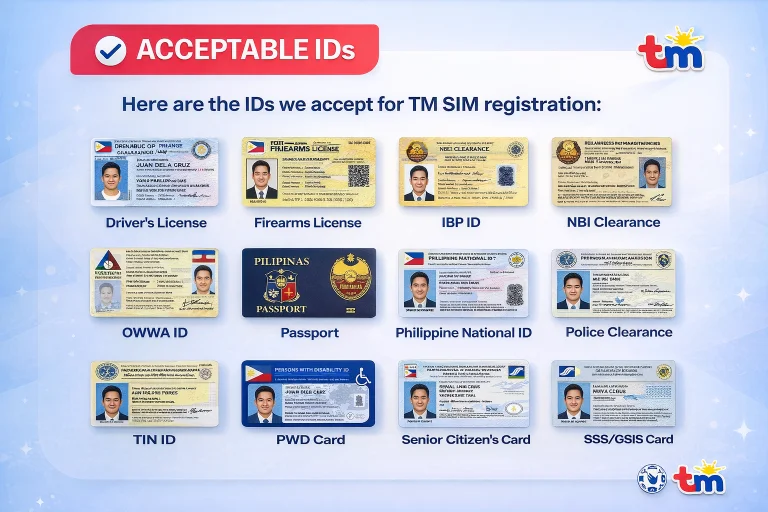
List of Acceptable IDs and Personal Information
Acceptable IDs
- Driver’s License
- Firearms License
- IBP ID
- NBI Clearance
- OWWA ID
- Passport
- Philippine National ID
- Police Clearance
- PRC ID
- PWD Card
- Senior Citizen’s Card
- SSS/GSIS Card
- TIN ID
- UMID Card
- Voter’s ID
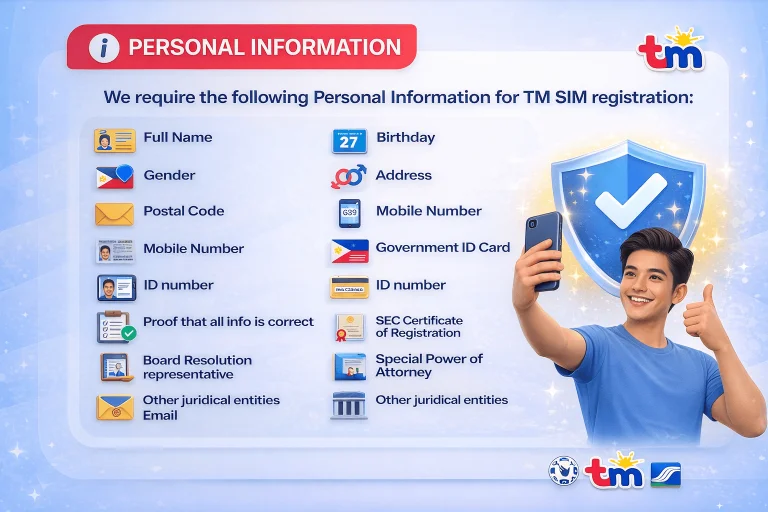
Personal Information
- Full Name
- Birthday
- Gender
- Address
- Postal Code
- Mobile Number
- Government ID Card
- ID number
- Selfie
- Proof that all info is correct
- SEC Certificate of Registration
- Board Resolution representative
- Special Power of Attorney
- Other juridical entities
Freebies and Benefits Of TM Sim
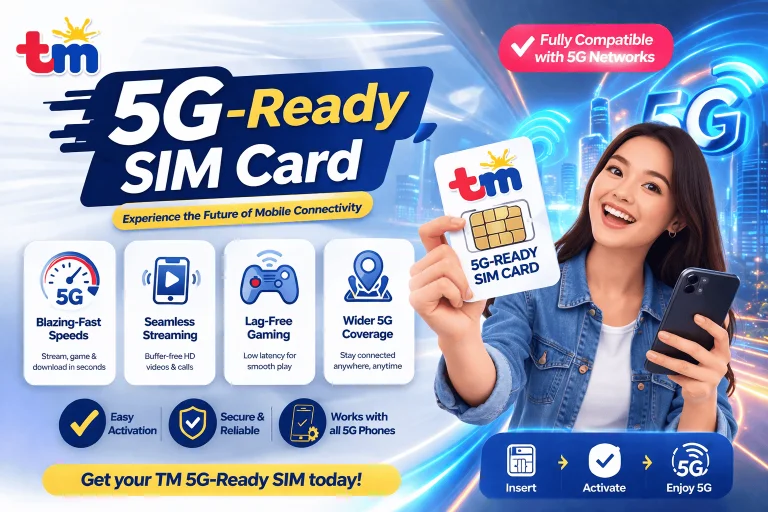
5G-Ready SIM Card
TM now offers 5G-Ready SIM cards. If there are 5G signals in your area, you can enjoy faster internet speeds on your 5G mobile device. This is especially useful for those using TM roaming services while traveling.
Welcome Freebie Rewards
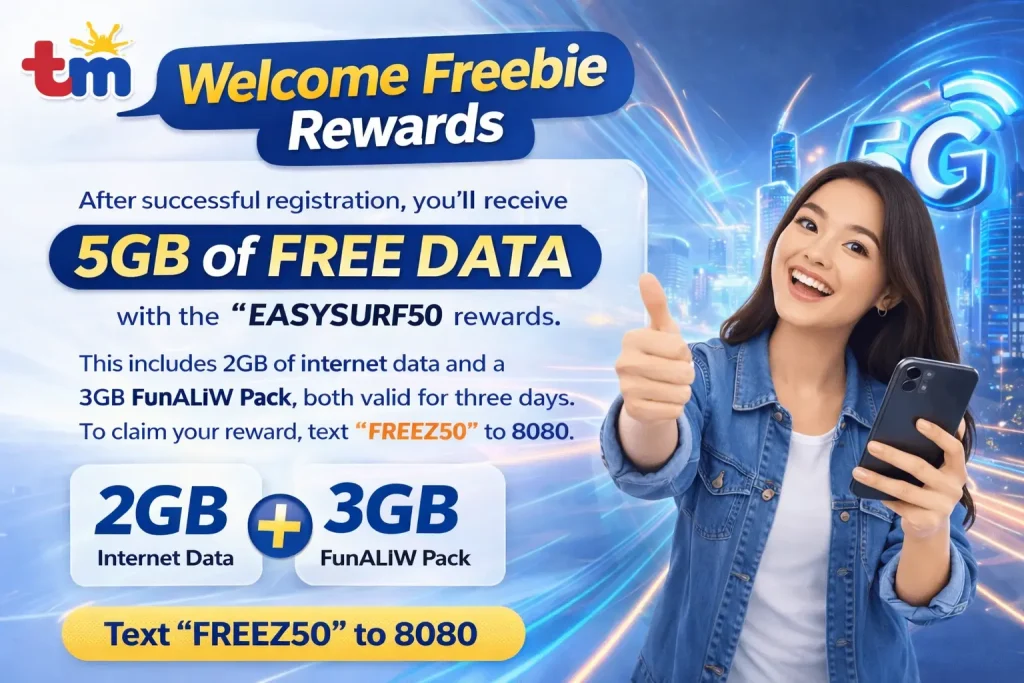
After successful registration, you’ll receive 5GB of free data with the “EASYSURF50” rewards. This includes 2GB of internet data and a 3GB FunALIW Pack, both valid for three days. To claim your reward, text “FREEEZ50” to 8080. Enjoy browsing, streaming, and staying connected with this bonus.
Enhanced Security
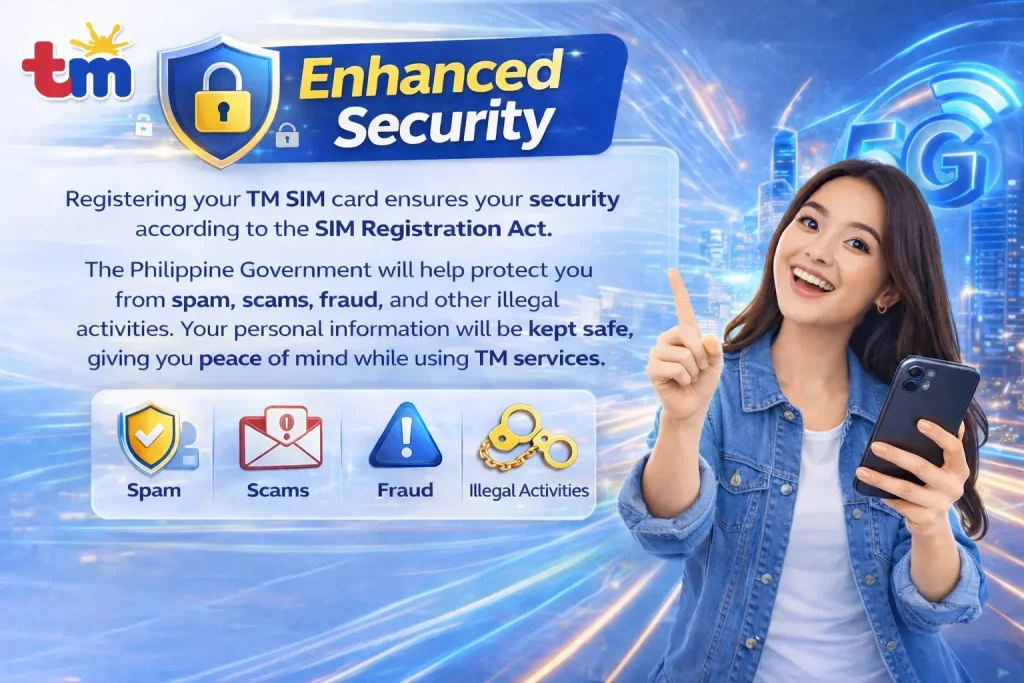
Registering your TM SIM card ensures your security according to the SIM Registration Act. The Philippine Government will help protect you from spam, scams, fraud, and other illegal activities. Your personal information will be kept safe, giving you peace of mind while using TM services.
| Freebie | Validity | Details |
|---|---|---|
| 300 SMS | 7 Days | Free texts to all networks |
| 100 MB Internet | 7 Days | Free 100 MB for basic internet usage |
| 10 Min Calls | 7 Days | Calls to Globe or TM numbers |
| 1GB Facebook | 3 Days | Extra data for Facebook use |
| 1GB TikTok | 3 Days | Extra data for TikTok use |
Freebies and Benefits Of TM Sim
After successfully registering your Touch Mobile SIM, you will receive free TM rewards, the cheapest TM promos, and bonuses that you can redeem easily through the GlobeOne App or by dialing *143#.
| Reward Code | Description | Required Reward Points |
|---|---|---|
| REWUNLICALL | Unlimited calls valid for 1 day | 2 |
| SURF100MB | 100MB data valid for 1 day | 2 |
| REWCOMBO2 | 20 minutes, 20 SMS valid for 1 day | 2 |
| REWCOMBO4 | Unlimited calls and texts to Globe/TM for 1 day | 4 |
| REWCALL | Unlimited calls to Globe/TM and 100MB data for 1 day | 4 |
| REWTXT | Unlimited texts to all networks and 100MB data | 4 |
| SURF250MB | 250MB data valid for 1 day | 4 |
| REWCOMBO10 | Unlimited calls and texts, 100MB data for 1 day | 6 |
| SURF500MB | 500MB data valid for 1 day | 10 |
| SURF1GB | 1GB data valid for 1 day | 10 |
How to Borrow, Transfer, and Check TM Load
Easy Ways to Utang Load From TM
- SMS: Send “UTANG” to 3733
- USSD: Dial *143#
Simple Steps to Check Your TM Load Balance
- SMS: BAL to 222
- Call: 222
- USSD: *143#
Easy Steps to Share Load in Globe and TM
Globe and TM subscribers can easily share prepaid load, promos, or data with others via SMS or the USSD code *143#. Here’s a quick guide on how to share load in TM:
Share Load Via SMS:
- Change the first “0” of the recipient’s number to “2.” For example, to send 200 pesos, text “200” to 29876543219.
- If you have a PIN, include it (e.g., “100 1234”).
- Wait for a confirmation and reply “YES” within 5 minutes.
Share Load By Using 143#:
- Dial *143# and press call.
- Select “MyAccount,” then “Share-A-Load/Promo/MB,” and choose “Share Load w/o PIN.”
- Enter the load amount and the recipient’s number (omit the “0”).
- Confirm by replying “YES” to the message. A ₱1 fee applies.
Share Load Through the GlobeOne App:
- Download and open the GlobeOne app.
- Tap “Buy Load,” enter the mobile number, and choose the load amount.
- Complete the payment using GCash, recipient’s load, or a card.
Share Load Via GCash:
- Open the GCash app, tap “Load,” and select Globe or TM.
- Enter the mobile number, choose the load amount or promo, and confirm your payment.
How to Replace TM SIM Card With the Same Number
TM offers a simple TM SIM Replacement process to keep your number if your SIM is lost, damaged, or needs an upgrade. Here’s how to replace your SIM easily:
Easy Steps to Replace Your TM SIM Card
Report Lost/Stolen SIM: Notify the National Telecommunications Commission (NTC) if your phone is lost or stolen to block the device and prevent unauthorized use.
Request SIM Deactivation: Contact Globe’s Facebook page or customer support to temporarily deactivate your line.
Visit a Globe/TM Store: Go to the nearest Globe/TM center with your ID. Tell them you need a replacement SIM with the same number, fill out the required form, and they’ll verify your identity before giving you a new SIM.
Request via GlobeOne App: Open the GlobeOne app, go to “Help,” select “SIM Replacement,” and follow the on-screen instructions.
Replacement Charges
Postpaid Users: Most replacements are free; damaged SIMs cost P99.
Prepaid and TM Users: New SIMs cost P50, 4G/5G upgrades cost P10, and defective SIMs are replaced for free.
What is the SIM Registration Act (SRA) For TM in the Philippines?
The SIM Registration Act (SRA) is a new law in the Philippines that requires all SIM card users to register their SIM cards to use mobile internet, calls, and text services.
This law aims to protect the privacy of SIM users and prevent illegal activities such as scams, phishing, and mobile fraud. All TM and Globe SIM cards must be registered to continue using their services. This nationwide registration helps ensure the safety and security of all mobile users.
How to check if my TM SIM number is registered or Not?
To verify whether your TM SIM number is registered, you can follow these simplified steps:
Access the TM SIM Registration Portal: Open your web browser and go to the TM Official Website.
Input Your TM SIM Number: In the provided field, enter the SIM number associated with your TM account.
Check Registration Status: After entering your SIM number, you will immediately see a notification indicating whether your SIM is registered or not.
Solving Frequent SIM Registration TM Errors
Many people encounter problems when registering their Globe and TM SIM cards. If you’re facing a TM SIM Card Registration Failed Issue, here are some easy steps to help you out:
1. Issues with Uploading IDs
- Make sure your ID and selfie are both less than 2 MB and clearly visible.
- Use common file formats like PNG, JPG, HEIC, or PDF.
- If your images are too big, try reducing the quality or converting them online.
2. Miss the Registration Deadline
If your SIM card is damaged, visit a TM Service Center to get a replacement while keeping your existing number.
3. Faulty SIM Card
If your SIM card is damaged, visit a TM Service Center to get a replacement while keeping your existing number.
4. TM SIM No Signal Issue
- If you experience weak signals, wait for the network to stabilize or move to a better location.
- Also, check your APN settings to improve your internet connection.
5. Verification SMS Not Received
- If you haven’t received the verification SMS, wait for about 15 minutes, then check that your phone number was entered correctly.
- Make sure you have good signal strength and that your phone isn’t on airplane mode.
6. App Crashing During SIM Registration
- If the TM app crashes, try updating it to the latest version or restart your phone.
- If the problem continues, consider using the web registration option instead.
7. Double-Check Your Information
- Carefully review all the details you enter, including your mobile number and OTP code.
- A tiny mistake in spelling or numbers can cause registration to fail.
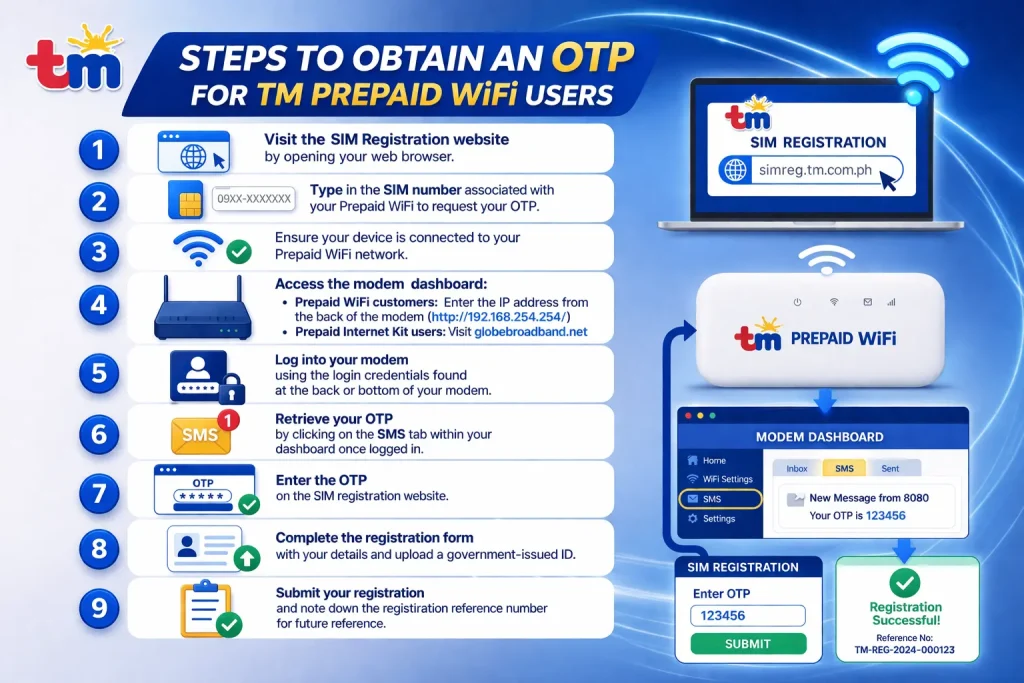
Steps to Obtain an OTP for TM Prepaid WiFi Users
- Visit the SIM Registration website by opening your web browser.
- Type in the SIM number associated with your Prepaid WiFi to request your OTP.
- Ensure your device is connected to your Prepaid WiFi network.
- Access the modem dashboard:
- Prepaid WiFi customers should enter the IP address from the back of the modem (http://192.168.254.254/) into the browser.
- Prepaid Internet Kit users should visit globebroadband.net.
- Log into your modem using the login credentials found at the back or bottom of your modem.
- Retrieve your OTP by clicking on the SMS tab within your dashboard once logged in.
- Enter the OTP on the SIM registration website.
- Complete the registration form with your details and upload a government-issued ID.
- Submit your registration and note down the registration reference number for future reference.
TM Sim Card Official (Contact Number)
If you have any problems with the SIM registration process or any other issues, you can contact TM’s Customer Support Services. Call them at “(02) 7730-1500” or dial “808” on your phone using your TM SIM card.
You can also visit the TM website for more information and support, or reach out through their social media channels. Their Facebook page link is: https://www.facebook.com/TMtambayan. TM’s customer service team is available 24/7 to assist you with any concerns.